Create an Apptest.ai account to access both Ptero (cloud test execution) and Stego Web (scenario authoring) with a single login.
Visit app.apptest.ai to get started.
Account Setup #
Choose one of the following signup methods.
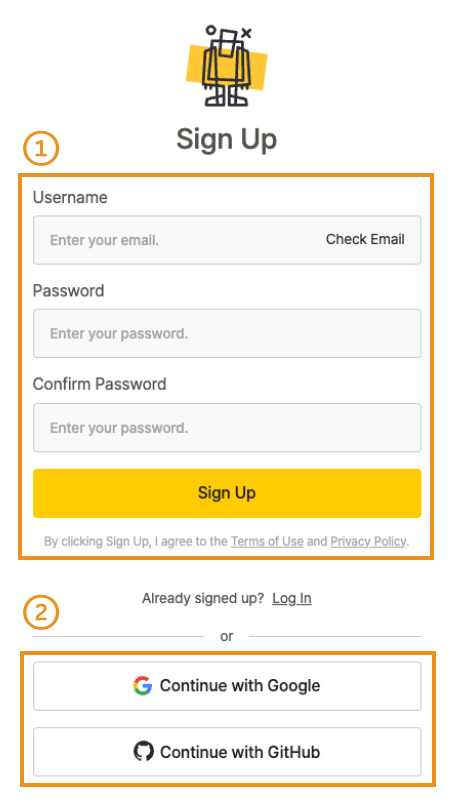
Email Signup #
- Click Sign Up to open the signup form.
- Enter your email address and click Check Email.
- Enter your password, confirm it, and click Sign Up to create your account.
- Open the verification email and click Verify your email to complete setup.
Note
Email signup requires verification. If you do not receive the email, check your spam or junk folder.
Social Signup #
- Click Continue with Google and select your Google account.
- Click Continue with GitHub and select your GitHub account.
Login Methods #
Enter your credentials on the login page and click Log In.
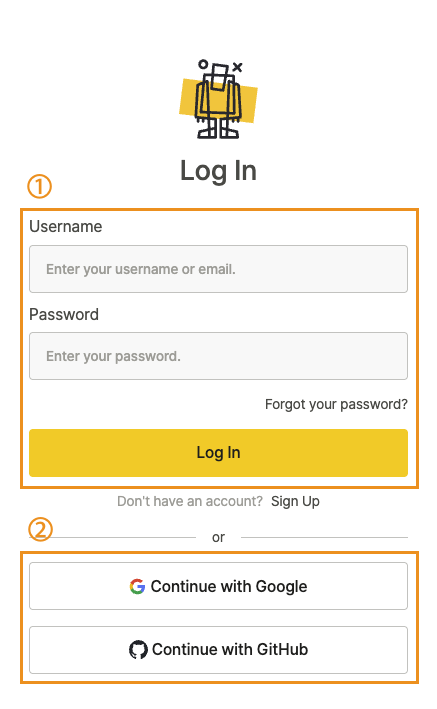
Email Login #
- Enter your email address.
- Enter your password.
- Click Log In.
Social Login #
Select your provider to log in with an existing account.
- Click Continue with Google and select your Google account.
- Click Continue with GitHub and select your GitHub account.
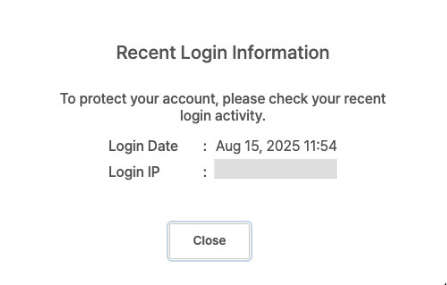
Recent Login Information #
After you log in, the page displays your most recent login time and IP address. Use this to detect suspicious activity.