
This section describes how to run tests in a Browser project using the Run Test page.
Immediate runs help verify website behavior and UI stability across browsers and screen resolutions.
Opening the Run Test Page #
To begin a test, click  in your Browser project.
The Run Test page opens with configuration options for test setup.
Test Configuration #
Configure your browser test parameters before execution.
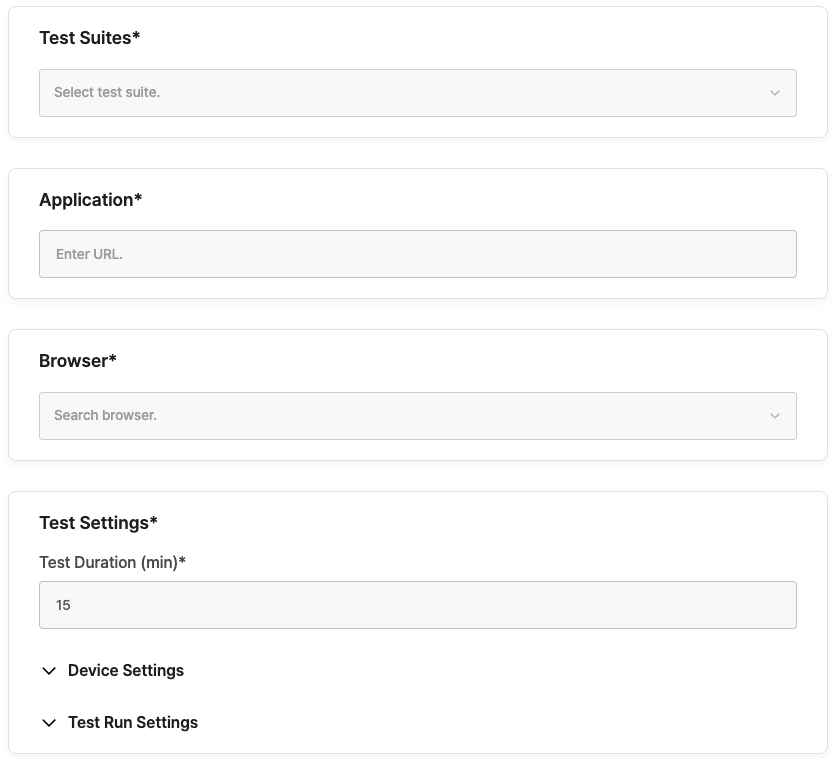
| Item | Description |
|---|---|
| Test Suites | Select the Test Suite to execute. Click the field to view available options. |
| Application | Enter the URL to test. The URL set in project settings is applied by default but can be changed. |
| Browser | Configure the browser type and screen resolution for testing. |
| Test Duration | Set the test execution time. The default duration is 15 minutes. |
Additional Settings (Optional) #
You can fine-tune test conditions such as locale configuration and network analysis through Device Settings and Test Run Settings.
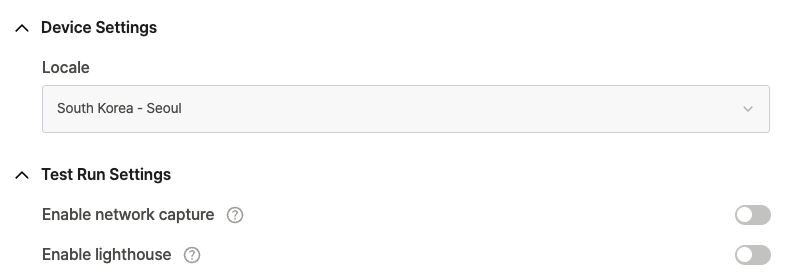
Default values are automatically provided and can be modified as needed.
To learn more, see [Ptero User Guide › 6.0. Project Settings].
Starting the Test #
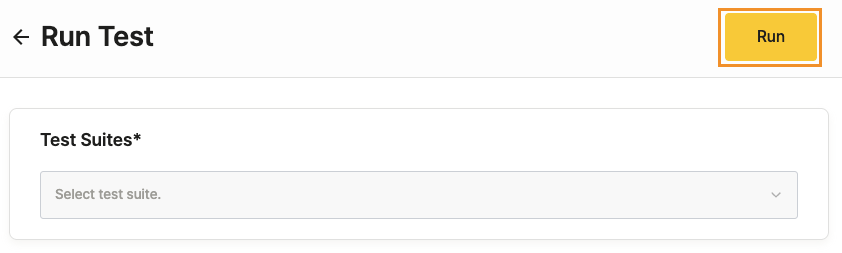
After completing the configuration, click Run in the upper-right corner of the page.