
What’s new in this update #
Write scenarios faster with tighter Ptero integration.

We’ve added menu entry points and shortcuts that cut the time it takes to edit a Ptero scenario in Stego.
v1.26.0 (July 2nd, 2026) #
1. [Stego Web] Open Stego directly from Ptero #
- Launch Stego instantly from Ptero’s Step Result, Scenario Repository, or the button at the bottom-left of the menu.
- For the full integration flow, see the Ptero > July 2026 Update docs.
Note: Direct access via the standalone address works just as before. (stego.apptest.ai)
2. [Stego Web] Improved search #
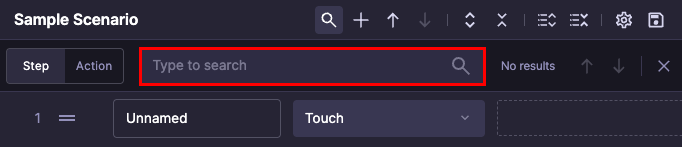
- Search scenarios by step name and action name.
- After a scenario runs, search Output contents by step name and action name too.
3. [Stego Web] Copy and paste text during remote PC mirroring #
- You can now copy and paste text between your local PC and the remote (RDF) PC.
- Move long text like commands or file paths across machines directly—no need to route it through email or chat.
- Text only. You’ll be prompted to allow clipboard access in your browser the first time.
4. [Stego Web] Other usability improvements #
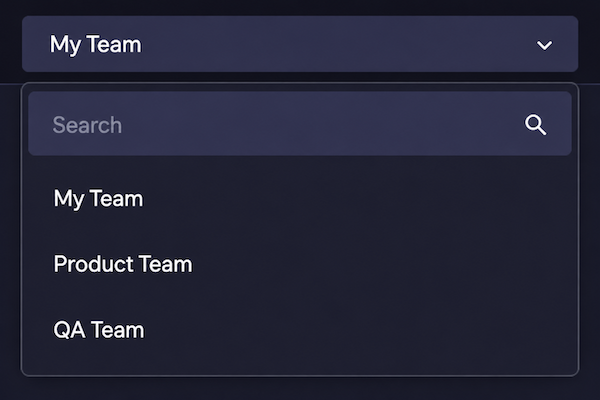
1) Find a team from the team menu in the top-right corner.
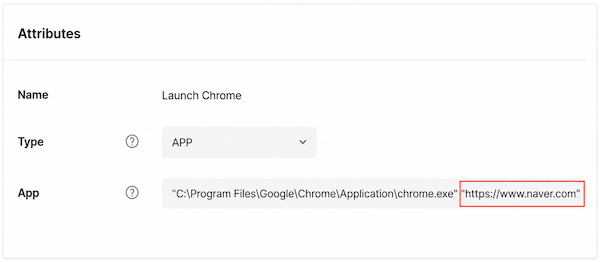
2) Pass launch arguments in the Launch action (e.g., “chrome.exe” “https://www.naver.com”).
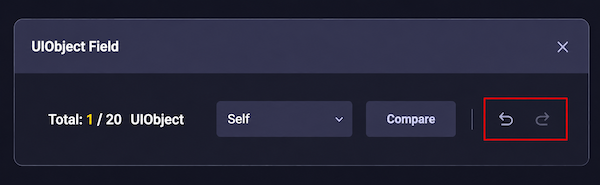
3) Undo and redo are now supported in UIObject Field menu actions, along with keyboard shortcuts.
4) Stego Web now supports light mode.
5. [Stego Desktop] macOS installer change #
- The installers for Apple Silicon and Intel Macs are now separate. Please download the file that matches your Mac.
6. [All] Other fixes #
- Squashed a bunch of bugs behind the scenes.